

HTTP 402 Payment Required: What It Means, How to Fix It, and Why It's Suddenly Relevant Again
HTTP 402 Payment Required means your request was valid but payment is needed. Learn what causes it, how to fix it on npm, Stripe, WordPress, nginx, Azure, and why AI agents are finally making it relevant.
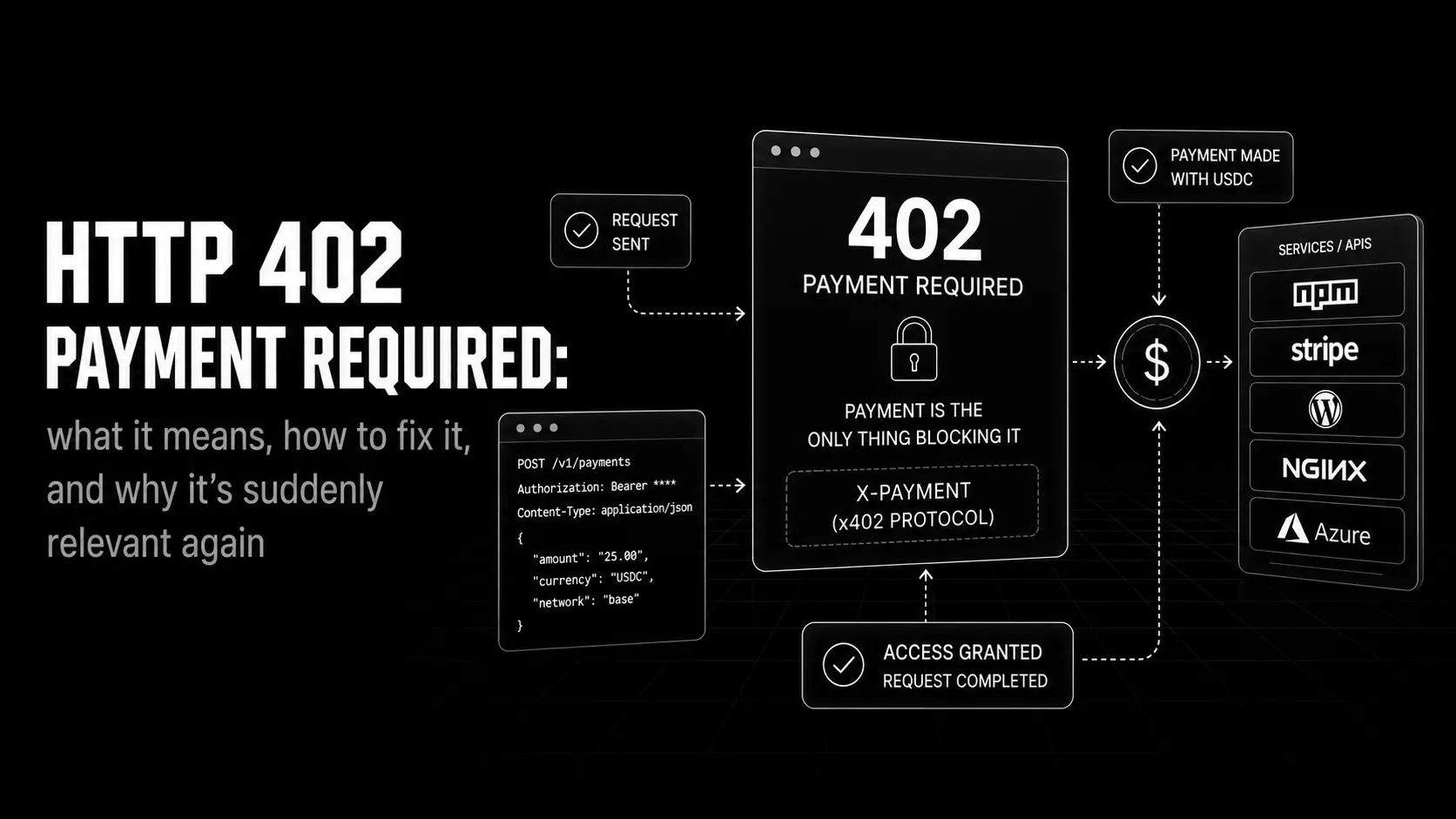
Nearly three decades ago, the engineers drafting HTTP/1.1 did something unusual for a spec document. They reserved a status code for a use case that didn't exist yet. They called it 402 Payment Required and wrote, in RFC 2068 in 1997, that it was "reserved for future use."
Then they moved on.
For almost thirty years, that future never came. Browsers ignored the code. Servers never sent it. Developers treated it like a relic from some optimistic 1990s vision of internet commerce that never materialised. If you hit a 402 in production, it was almost always a misconfiguration, not an intentional signal.
Then AI agents arrived.
Suddenly, machines need to pay other machines. Automatically. At the protocol level. And the one status code in HTTP specifically designed for payment interactions has been sitting there, unused, for nearly thirty years.
This post covers all of it: what 402 means, why you're probably seeing it right now, how to fix it on every platform it appears, and why the developers who understand it now have a head start on what's being built around it.
The short version:
402 Payment Requiredis the HTTP status code a server returns when a request is valid but needs payment before it can be fulfilled. The current HTTP specification still lists it as "reserved for future use", so every platform that sends it defines its own behaviour. For API builders and AI agents it now matters again: the x402 protocol uses402to tell software what to pay, so an agent can pay and retry without a human.
What Is HTTP 402 Payment Required?
The HTTP status code 402 belongs to the 4xx family of client errors, which means the problem is on the requester's side, not the server's. The canonical members of this family are 400 Bad Request, 401 Unauthorized, and 403 Forbidden. Each one tells the client something specific went wrong with its request.
402 was meant to do the same: tell the client that access requires payment.
The current HTTP specification, RFC 9110 section 15.5.3, describes it in one line: "reserved for future use." That sentence is both honest and historically embarrassing. The IETF knew internet payment systems were coming. They just didn't know what form they'd take, so they reserved the code and left the semantics intentionally vague.
In practice, this means there is no universally enforced standard for how 402 should behave, what headers should accompany it, or what body format a client should expect. Every platform that sends a 402 today is making a judgment call. Some include a JSON body explaining what payment is needed. Some include a WWW-Authenticate-style header. Some drop the code with no context at all.
The 402 status code means: your request was valid, but you haven't paid for what you're asking for.
It is not an authentication error (that's 401). It is not a permission error (that's 403). It sits between them in a specific way: the server understood you, knows who you are, and has decided you're not entitled to this resource without payment.
See also: MDN Web Docs for 402 Payment Required
401 vs 402 vs 403 at a glance:
| 401 Unauthorized | 402 Payment Required | 403 Forbidden | |
|---|---|---|---|
| Trigger | No credentials sent | Valid request, no payment | Authenticated, access denied |
| Question | Who are you? | Did you pay for this? | Are you allowed to do this? |
| Fix | Authenticate (send a token) | Pay, then retry | Contact an admin; a client-side fix won't help |
| Retry works? | Yes, with credentials | Yes, after payment | No |
Why Do You Actually See It?
The 402 you encounter in practice almost always falls into one of four buckets.
Expired or failed subscription. You have an account, that account had a paid plan, and the payment didn't go through. The service continued letting you make requests until a billing cycle closed, then started rejecting them. This is the most common cause by a significant margin.
API rate limit with a commercial upsell. Some services use 402 (incorrectly, but consistently) to mean "you've hit the limit of your free tier." The intent is commercial pressure: upgrade to continue. 429 Too Many Requests is the technically correct code for rate limiting, but some product teams deliberately use 402 to make the upgrade path explicit.
Paywalled content or features. A specific endpoint, model, or dataset is only available on paid plans. Your request was otherwise valid. The server is saying: this particular thing costs money.
Webhook or callback rejections. Your application is receiving a 402 from a third-party service your code called out to. This one surprises developers most often. The upstream dependency rejected your service's request, and that rejection propagated back to your own users.
The fix is completely different depending on which one you're in, so figure that out first.
Platform-Specific Fixes for 402 Payment Required
npm / npm Registry
The most common npm 402 comes from npm publish, not npm install. Scoped packages are published with private visibility by default, and private packages need a paid npm plan. Publish a scoped package from a free account without saying otherwise and the registry answers 402 Payment Required. The fix is one flag:
npm publish --access public
# or set it once in package.json:
# "publishConfig": { "access": "public" }
On npm install, a 402 means your account no longer has access to a private package. npm doesn't gate public packages behind payment, so if you're hitting 402 on a public package, check that your .npmrc isn't pointing that scope at a private registry.
Check your .npmrc first:
cat ~/.npmrc
# Look for registry entries like:
# @yourscope:registry=https://npm.yourcompany.com/
If your access to that registry has changed, sign in again so npm picks up a fresh token:
npm login --registry=https://your-private-registry.com
npm install
If it's an organisational package, check that your membership in the org hasn't been revoked and that the organisation's plan still covers private packages.
Stripe API
Stripe uses 402 to signal payment failures and card declines when you're calling the Charges or PaymentIntents APIs. The 402 is not about your Stripe subscription. It's about the charge you attempted to create on behalf of your user failing. Stripe's API reference lists 402 as "Request Failed": the parameters were valid but the request failed.
The response body will include a decline_code. That code is what you actually need to act on:
{
  "error": {
    "type": "card_error",
    "code": "card_declined",
    "decline_code": "insufficient_funds",
    "message": "Your card has insufficient funds."
  }
}insufficient_funds, card_velocity_exceeded, and do_not_honor each require a different response from your application (full list of decline codes). Don't catch all 402s and show a generic "payment failed" message. Read the decline_code and route the user to the right fix.
The other Stripe 402 scenario is a mode mismatch. If a Stripe test card number is used with a live-mode key, the charge is declined with testmode_decline. Check that STRIPE_SECRET_KEY in your environment matches the mode you intend.
WordPress
WordPress itself doesn't emit 402. When you see it in a WordPress context, it's almost always a payment plugin (WooCommerce, Easy Digital Downloads) or a payment gateway passing a decline through to the browser.
WooCommerce uses 402 on order payment endpoints when the payment gateway returns a decline. The fix depends entirely on which gateway. Check your WooCommerce logs at WooCommerce > Status > Logs and filter for payment events. The raw gateway response will be there.
If the 402 appears on page loads rather than in checkout flows, look for a plugin or custom code returning it, using the same upstream-versus-local check described for nginx below.
nginx
nginx does not generate 402 responses on its own. Every 402 you see from an nginx server was configured intentionally by whoever set up that server. Common patterns:
- A reverse proxy backend returned
402and nginx passed it through error_pagedirectives rewrite other errors to402(unusual but not rare in fintech setups)- A Lua module or nginx plugin (like Kong) is injecting
402based on request metadata
Start with your nginx access.log and error.log. If the 402 appears in access.log without a corresponding entry in error.log, nginx is passing through a response from upstream, so check what's behind the proxy. If it appears with an error.log entry, nginx is generating the response itself based on a rule in your config.
grep -r "402" /etc/nginx/
# Find every location this code appears in your nginx config
Azure
402 is not the standard Azure response for quota or limit errors, so if you are troubleshooting one on Azure, check which code you are actually getting. Azure OpenAI returns 429 Too Many Requests when you exceed your rate or quota limits. The Azure API Management quota policy returns 403 Forbidden with a Retry-After header when a subscription's quota is used up.
If an API hosted on Azure does return 402, it was configured by whoever built that API, so treat it like any other upstream 402 (see the next section).
Generic API and Webhook Errors
When 402 shows up in your own API logs or webhook handler, the first thing to check is whether the code is coming from your code or from an upstream dependency.
Add structured logging to your HTTP clients:
const response = await fetch(upstreamUrl, { headers });
if (response.status === 402) {
  console.error({
    event: 'upstream_payment_required',
    url: upstreamUrl,
    body: await response.text()
  });
  // Do not silently swallow this, surface it to your monitoring
}
If the 402 is coming from your service and you didn't intend to send it, search your codebase for anywhere a 4xx error from a dependency is being forwarded directly to your callers. This passthrough pattern is a common source of confusing 402s in microservice architectures.
How to Implement 402 Correctly
If you're building an API and you want to use 402, the decision comes down to: what are you actually rejecting, and why?
Use 401 when the request lacks valid authentication credentials. Use 403 when the user is authenticated but doesn't have permission. Use 402 when permission would exist, but requires payment that hasn't happened.
The practical test: if removing the payment requirement would make the request valid, use 402. If the user would still be rejected for other reasons, use the appropriate 4xx for that reason instead.
A 402 response should include enough information for the client to know how to proceed. At minimum:
HTTP/1.1 402 Payment Required
Content-Type: application/json

{
  "error": "payment_required",
  "reason": "Your subscription has expired",
  "payment_url": "https://yourapp.com/billing/upgrade",
  "plan_required": "pro"
}
The payment_url field isn't standardised, but it's the single most useful thing you can add. A client hitting 402 needs to know where to go. Give it a direct link.
The Modern Angle: 402, AI Agents, and Machine-to-Machine Payments
This is the part most developers don't know about yet.
AI agents browse, call APIs, and take actions without a human in the loop. When one hits a paywall, it can't enter a credit card. If the agent doesn't know what to do with a 402, it stops. The task fails. The person who deployed it finds out after the fact.
This is the problem the x402 protocol was designed to solve.
x402 is a payment protocol originally developed by Coinbase that sits on top of HTTP. It's open-source, not a Coinbase product. Anyone can implement it. In version 2 of the x402 HTTP transport, the server answers with 402 and a PAYMENT-REQUIRED header: base64-encoded JSON whose accepts array lists the payment options it will take. The client signs a payment (for USDC, an EIP-3009 TransferWithAuthorization signed with EIP-712) and retries the request with a PAYMENT-SIGNATURE header. Older v1 integrations used a JSON response body and an X-PAYMENT request header. For the full implementation, see Building an AI Agent That Can Pay Its Own API Bills.
One round trip. The agent pays and keeps going.
This is why 402 is no longer dormant. Card networks are moving the same way: Mastercard unveiled Agent Pay in April 2025, building agent payments into its card network. Abstraxn's Agent Layer works the same way: an agent with a provisioned server wallet, a spend policy, and an ERC-8004 on-chain identity can hit a 402, pay, and continue without any human involved. Whether that payment was one a human actually authorized is the question Know Your Intent (KYI) answers.
The 402 status code was designed for an internet that didn't exist yet. That internet is being built now.
Read the x402 spec: x402 Protocol Documentation
We covered what agents are in What Is an AI Agent? and identity and wallets in Agent Identity (ERC-8004) and Payments (x402). Payment is the next layer. 402 is the protocol's way of asking for it. For the full implementation of wallet provisioning, spend policies, and the signing flow, see Building an AI Agent That Can Pay Its Own API Bills.
Key Takeaways
- HTTP 402 has been "reserved for future use" since HTTP/1.1 (RFC 2068, 1997), and still is in RFC 9110. There is no universal standard for its response format, so every platform implements it differently.
- The four real causes of 402 are: expired subscription, API rate limit with commercial intent, paywalled feature, and upstream webhook rejection.
- npm 402s usually mean a scoped package was published as private (fix:
--access public), or that your account has lost access to a private package. - Stripe 402s come with a
decline_code. Read it. Don't show a generic error. - nginx never generates 402 on its own. If you see it from nginx, it's either passing through from upstream or your config is explicitly sending it.
- 402 is not 401 and not 403. Use it only when the request is valid and payment is the specific barrier.
- The x402 protocol lets AI agents handle 402 responses without human intervention, paying with stablecoins and retrying the request automatically.
Frequently Asked Questions
What does 402 Payment Required mean?
The server knows who you are and your request was valid, meaning payment is the only thing blocking it. This is distinct from 401 (not authenticated) and 403 (authenticated but not permitted regardless of payment).
Why does npm return a 402 error?
Most often because you published a scoped package without --access public. Scoped packages publish as private by default, and private packages need a paid npm plan. Publish with npm publish --access public, or add "publishConfig": { "access": "public" } to package.json. On install, a 402 means your account no longer has access to a private package: check your organisation membership and plan.
How do I fix a 402 error from the Stripe API?
A Stripe 402 means the charge you attempted to create was declined. Check the decline_code in the response body since it tells you the specific reason (insufficient_funds, card_velocity_exceeded, etc.) and determines what to do next. Don't route every failure to a generic "payment failed" screen.
What is the difference between 401, 402, and 403?
401 means you haven't authenticated. 402 means you've authenticated but payment is required. 403 means you've authenticated but you're not permitted, regardless of payment. The clearest test: could paying fix this? If yes, it's 402.
What is the x402 protocol?
An open, HTTP-based payment protocol, originally developed by Coinbase, that uses 402 Payment Required as a machine-readable payment trigger. In version 2, the server returns 402 with a PAYMENT-REQUIRED header listing the accepted payment options. The client signs a payment (for USDC, an EIP-3009 transfer authorisation) and retries with a PAYMENT-SIGNATURE header. Built so software, including AI agents, can pay for a request and continue without a human.
Should I use 402 in my own API?
Yes, if payment is specifically the barrier to access. Include a payment_url in your JSON response body so the client knows where to go. Don't use it as a synonym for rate limiting (that's 429) or general permission denial (that's 403).
Why did the status code 402 go unused for so long? It assumed a standardised internet payment primitive that didn't exist. Credit cards, PayPal, and Stripe are application-layer solutions which means they operate above HTTP, not at it. There was no way to communicate "pay here, then retry" at the protocol level. x402 is the first to actually deliver on that assumption.
Does Azure return 402 for quota limits?
Not by default. Azure OpenAI returns 429 Too Many Requests when you exceed your rate or quota limits, and the Azure API Management quota policy returns 403 Forbidden with a Retry-After header. If you see a 402 from an Azure-hosted API, it was configured by whoever built that API.
About the Author

Pankaj Kumar
Software Engineer
Pankaj Kumar is a software engineer at Abstraxn, where he works on the infrastructure that lets AI agents authenticate, pay, and transact without human intervention. Before Abstraxn, he spent five years building payment systems and developer tooling. He writes about account abstraction, on-chain payments, and what it actually takes to make autonomous systems work reliably.
More from Pankaj Kumar